How can I get emoticons and smileys in WhatsApp?
iOS offers several hundred emoji that you can access using the emoji keyboard.
To enable emoji from the keyboard settings in iOS:
- Tap Settings > General > Keyboard
- Tap International Keyboards
- Tap Add New Keyboard
- Locate and tap Emoji
Once emoji is enabled, you can access the emoji keyboard by tapping the globe icon to the right of the space bar: .
.
.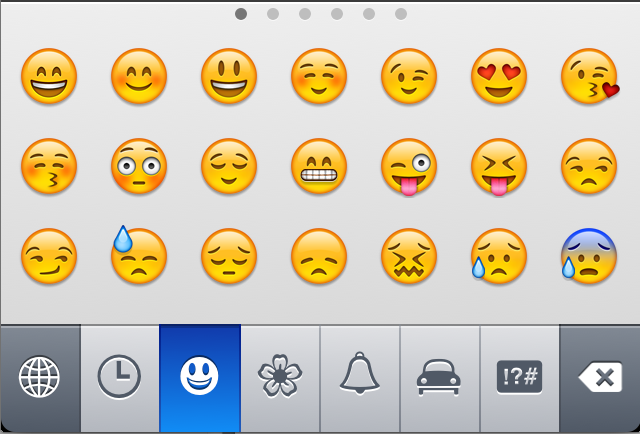
You can switch between different emoji themes by tapping the icons along the bottom of the keyboard. In each theme, you can swipe left or right to view additional emoji characters.
The clock icon next to the globe icon displays emoji you've recently used.

No comments:
Post a Comment